Documentation

Shoppable Button v2

Ths document refers to v2 of the shoppable button, which was released on 12/24/2026.  If you are using v1, please refer to the v1 documentation.

How It Works?

To integrate SideChef shoppable functionality, the partner must:

(1) insert a JavaScript snippet on each recipe page
(2) place a HTML tag at the location where the shoppable button should render.

Upon initialization, the JavaScript transmits the page’s canonical URL to the SideChef servers. If the recipe is being processed for the first time, SideChef stores the recipe metadata and performs ingredient matching against the SideChef ingredient database. The script then dynamically injects the styled shoppable button into the specified HTML tag.

SideChef supports two shoppable button configurations: Single-Button and Multi-Button:

In the Single-Button flow, users select a single “Shop” button, which opens a pop-up allowing them to choose a retailer, review the matched product list, adjust quantities, substitute items, and proceed to checkout.

In the Multi-Button flow, users select a retailer-specific button and are redirected directly to that retailer, where a default store is preselected and a default product list is added to the cart. Users may optionally select “Show All” to open the same pop-up experience provided in the Single-Button flow for item customization.

From our experience, the Multi-Button converts 2-3x more orders to retailer than the single button experience. But the single button experience might be preferably when the product has high chance of being unavailable, such as alcoholic product, or if the client prefers a more uniform styling for the button that fits with the rest of the page.

When a user opens the pop-up or navigates directly to a retailer, the browser issues a request to the SideChef servers to determine the nearest supported store based on the user’s IP address and to retrieve ingredient-matched products for that location. If the user’s IP address is unavailable or no store can be resolved, the system automatically falls back to the default store zip code of 10001, which is in New Jersey.

Installation

After signing up to become a SideChef partner, you will get access to the SideChef JavaScript asset. Then, you need to ensure that the HTML for your content pages contain the following line:

<script async src="https://www.scgrocery.net/widget/v2/"></script>

We suggest placing the script element near the end of the body tag.

Next, you will need to define where to show the button in your page. You can do this by inserting the following HTML element in your content page where you wish for it to appear:

<div data-sidechef-shop-button data-partner-key="YOUR_PARTNER_KEY"></div>

You will replace the required YOUR_PARTNER_KEY with the partner key supplied when you have signed up be to be partner.

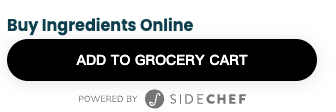
The shoppable button is rendered to end users as a clickable image, as illustrated in the section below.

We recommend validating the shoppable button integration in a staging environment prior to production deployment. Testing may be performed using a single recipe URL provided by the partner. If the URL is publicly accessible, SideChef can automatically ingest the recipe from that page. If the URL is restricted to an internal or protected network, the partner should either provide a publicly accessible production version of the recipe or supply the recipe URL, recipe title, ingredient names, and corresponding ingredient quantities so that the recipe can be manually registered within the SideChef system.

Once the recipe has been successfully ingested, SideChef will confirm that testing may proceed, at which point the shoppable button will render correctly on the partner’s staging server.

Customization

As mentioned earlier, there are two design options you can choose from:

Multi-button - Optimized for conversions

This is the default option. Clicking on the retailer logo will open a new browser window, taking a user to the retailer's web page with the selected products pre-populated in the user's shopping cart. The store closest to the user's IP-detected zip code is chosen.

Clicking ‘View all’ button, a pop up will appear with the recipe ingredients mapped to available products in a user's closest retailer, as shown below.

Clicking on the Add Items to Cart button will open a new browser window, taking a user to the retailer's web page with the selected products pre-populated in the user's shopping cart.

Please note that Kroger can not be exposed in the multi-button option, it will only be available in the pop-up.

Single-button

Clicking on the single-button will open the same pop-up as mentioned above, where the user can select which retailer he prefers to shop.

It is possible to fully customize the appearance of the single-button.

<div data-sidechef-shop-button data-sidechef-href="https://example.com/recipe/123" data-partner-key="your-partner-key">
  <button type="button" class="my-button">
    <span class="button-label">Shop Now</span>
  </button>
</div>
Button Configuration

  • data-sidechef-shop-button (required) - Marks the current element as a SideChef Widget
  • data-partner-key (required) - Your partner key for widget configuration
  • data-style-button - multi (default) or single
  • data-sidechef-href - The canonical URL of recipe used for the button, defaults to the canonical url in your web page if not supplied. Used when you have multiple buttons on the same recipe landing page.

Display Configuration

  • data-button-text - Button text, only valid when button style is single
  • data-header-text - Button header text
  • data-disable-powered-by - Hide the "Powered by SideChef" text below the button
  • data-disable-powered-by-popup - Hide the "Powered by SideChef" text in the popup
  • data-disable-header - Hide the header text rendered before the button
  • data-disable-view-all - Hide the view all button in multi-button mode
  • data-highlight-ai-adapter - Open the AI Recipe Adapt option in the popup (additional license fee required)

Example: Fully Customized Button

<div
     data-sidechef-shop-button
     data-sidechef-href="https://example.com/recipe/banana-bread"
     data-partner-key="partner123"
     data-style-button="single"
     data-button-text="Shop Ingredients"
     data-header-text="Get Your Ingredients"
     data-disable-header
     data-disable-powered-by
     data-disable-powered-by-popup>
</div>

Theme Customization

You can modify part of the button's styling through CSS variables

:root {
  /* Button border radius */
  --sc-widget-button-border-radius: 22px;
  /* Button background color */
  --sc-widget-button-background-color: #000000;
  /* Button text color */
  --sc-widget-button-text-color: #ffffff;
  /* Button gap, only valid when button style is multi */
  --sc-widget-button-gap: 4px;
  /* Button font family, defaults to Poppins */
  --sc-widget-font-family: 'Poppins';
  /* Button header text color */
  --sc-widget-header-color: #000000;
}

The pop-up theming is done by SideChef team on the server side.

Example: Multiple buttons on the same page

You can create recipe landing pages with multiple buttons referring to different recipes. It is still required that a recipe refers to a unique recipe URL.

<div class="recipe-grid">
  <div data-sidechef-shop-button data-sidechef-href="https://example.com/recipe/1" data-partner-key="partner123">
    <img src="recipe1-thumb.jpg" alt="Recipe 1">
    <h3>Chocolate Chip Cookies</h3>
  </div>
  
  <div data-sidechef-shop-button data-sidechef-href="https://example.com/recipe/2" data-partner-key="partner123">
    <img src="recipe2-thumb.jpg" alt="Recipe 2">
    <h3>Banana Bread</h3>
  </div>
</div>

FAQ

How long does it take for the SideChef buttons to appear on my site?

After you provide all the assets as specified above and SideChef completes processing recipes and products, we will inform you that the buttons are ready for your testing. The buttons will appear as soon as you integrate the JavaScript snippet into the recipe page.

Why does the grocery cart show items as out of stock, even when the store actually has them?

SideChef uses the retailer’s snapshot and real-time availability API to determine product availability.  Sometimes that can be out of sync with the actual inventory of the store.  Also the fulfillment method might impact the availability, meaning the product might be available for pickup/delivery, but not for shipping, and vice versa.  This is true in Target’s case where they do not allow perishable items to be shipped, and hence it would be placed in the “Saved for Later” section of the cart, unless the fulfillment is changed to pickup/delivery, assuming the product is available at the store.

Why am I seeing different products added to cart when I use the direct buttons versus adding products from the popup?

When using the direct to cart button, SideChef picks the closest store near you based on your IP address.  When you open the pop-up, that default store is also chosen.  But when you change the zip code or change the store selected, then other products can be chosen.  Changing the zip code or store from the popup does not change what the default store used in the direct buttons are, so when the store is changed from the pop-up, then there might be differences between products of the two flows.

Why are some products on Target placed into the “Saved for Later” section of the cart?

Products are placed in the “Saved for Later” when the product is out of stock or is not available for shipping.  Perishable products are ineligible for shipping and are pickup/delivery only, even when they are available.

If I make updates to the recipe ingredients list, will the product list in the cart be updated automatically?

Any changes to the tracker must accompany a message to the SideChef team informing us of the change.  We will update the recipes per your changes so we can ensure the consistent information is displayed.

Can I replace the shoppable buttons from one recipe with a different recipe?

We identify a recipe based on the URL. As long as changes are within the same URL, that will not count against your contracted recipe count. If the recipe URL is changed, or new URL are added, then we will count towards your contracted count. We do not support swapping out recipes that have been ingested and released to reduce the count in the contracted limit, even if that recipe is taken down from the site, or you no longer wish to show the button for that recipe.

Why are some ingredients not matching the correct products in the SideChef cart?

We have two flows for product ingredient matching: One is sponsored products and the other is non-sponsored products.  For sponsored products, SideChef handles the matching and we look for the first product in the ordered sponsorship chain (primary and fallback) that is available, and use that as the matched product.  If none are available, we default to the first product but mark it as “out of stock” in the product list. For non-sponsored products, the matching is done on the retailer side, and they will return the best match that is available.  It is possible that the retailer returns a similar product that is not exactly what was the ingredient. Note that due to different product availability in the stores, each store can have different matched products.

Why are some products placed in the “My Pantry” section of the SideChef cart?

SideChef has a set of ingredients that we assume the user will most likely have, and these are then added to the “My Pantry” section.  Users can still add them if needed by clicking on the item. SideChef will not put sponsored products in the pantry section.

I have changed the canonical URL of the page, and now the button is not showing.  Why can’t I change the canonical URL?

SideChef uses the canonical URL as the ID, tying the shoppable button content to the page, because this is specifically what this is designed for and used by all search engines.  Please read the further explanation of the canonical URL and its use from Google, and why this is used as the definitive ID of the page versus using the URL.  It is important to keep the canonical URL consistent such that the page's reputation for SEO purposes is maintained.  It is fine to change the actual page URL, or have multiple different URLs resolving to the same page, as long as the canonical URL stays consistent.  For a new page, we would need to add the canonical URL to our whitelist, and then trigger the ingestion and QA of the new page.

How many retailers are supported as direct buttons when using multi-button mode?

We support 1, 2, or 3 direct buttons.

Can I choose to hide the "Show All" button in multi-button mode?

Yes.

Can I control the order of the retailers in both the direct buttons, and also inside the pop-up?

Yes.

What are the supported retailers for direct buttons when using multi-button mode?

Walmart, Instacart, Amazon Fresh, Whole Foods, Target.

Can you describe the display logic for retailers inside the popup that are activated on proximity to a user's location?

The user's location is determined either by IP address zip code lookup, or if the user enters the zip code to the popup.  The retailers that are activated by proximity, such as many Instacart retailers or Kroger banners, will be shown when the user is within 25 mile radius of a store from the retailer.  The ordering of the retailer will be determined by configuration on the backend, and not based on proximity.

Troubleshooting

Shoppable Buttons Not Displaying Correctly

Possible Causes:

  • The button is not properly embedded in the recipe page
  • Missing or incorrect button configuration settings
  • Conflicting CSS styles or JavaScript on the page
  • The SideChef team has not whitelisted the recipe pages yet
  • The attribute “data-partner-key” has not been inserted or it has been inserted incorrectly
  • You are using legacy v1 library and v2 button on the same page.

Troubleshooting Steps:

  • Step 1: Verify if the button code is correctly placed in the recipe page HTML (check for any missing or broken code).
  • Step 2: Check the button configuration settings (e.g., placement, size, and content source).
  • Step 3: Inspect the page’s CSS or JavaScript to see if other styles/scripts are interfering with the button. You can do this by temporarily disabling other scripts/styles and checking the button’s display. The button uses Shadow DOM to prevent conflicts, but custom CSS may need adjustments
  • Step 4: Check you are not using both v1 and v2 libraries.
  • Step 5: Confirm the attribute “data-partner-key” has been set into the code
  • Step 6: Check the JavaScript console to see if it is reporting any errors
  • Step 7: Clear the browser cache and refresh the page to check if the issue persists.
  • Step 8: Confirm with the SideChef team that the recipe pages have been whitelisted

Shoppable Buttons Not Functioning

Possible Causes:

  • The provided recipe canonical URL has changed and is different than the original canonical URL
  • The provided recipe URL has not been whitelisted yet by the SideChef team
  • The data attribute “data-partner-key” has not been inserted or it has been inserted incorrectly

Troubleshooting Steps:

  • Step 1: Verify that the provided URL has not changed (check the recipe page source for the canonical URL and ensure it matches the URL supplied in the tracker spreadsheet)
  • Step 2: Confirm if the URL has been whitelisted by the SideChef team
  • Step 3: Verify that the data attribute “data-partner-key” has been inserted

Shoppable Button Not Updating With New Recipe Data

Possible Causes:

  • The recipe has been updated, but the changes have not been implemented by the SideChef team
  • The recipe used to display the button is no longer displaying it

Troubleshooting Steps:

  • Step 1: Verify that the originally provided URL did not change
  • Step 2: Inform the SideChef team about the changes on the recipe pages

Contact Support

If you’ve followed all troubleshooting steps and the issue persists, please contact your Key Account Representative with the following information:

  • A description of the issue, including time, browser version, and phone model if accessed from a mobile phone
  • Steps to reproduce
  • A link to the affected recipe page
  • Preferably, record the issue with a video, or at minimum, take screenshots of the issue.

Change Log